I turned a scanned coal invoice into a spreadsheet — what worked, and what it got wrong
If you do your own books, you know the worst part of month-end: invoices that arrive as a scan or a phone photo. There's no text layer, so a normal PDF-to-Excel tool gives you nothing — and you end up retyping every cell (descriptions, HSN codes, rates, tax lines) into a spreadsheet by hand.
We built a tool that OCRs the scan and rebuilds the tables as Excel, so the time goes to reconciling instead of transcribing. Here's a real test — not a cherry-picked clean one.
The test: a real, ugly scan
This is a coal-haulage invoice a vendor sent — image-only, scanned slightly crooked, the kind that defeats most converters because there isn't a single selectable character on the page.
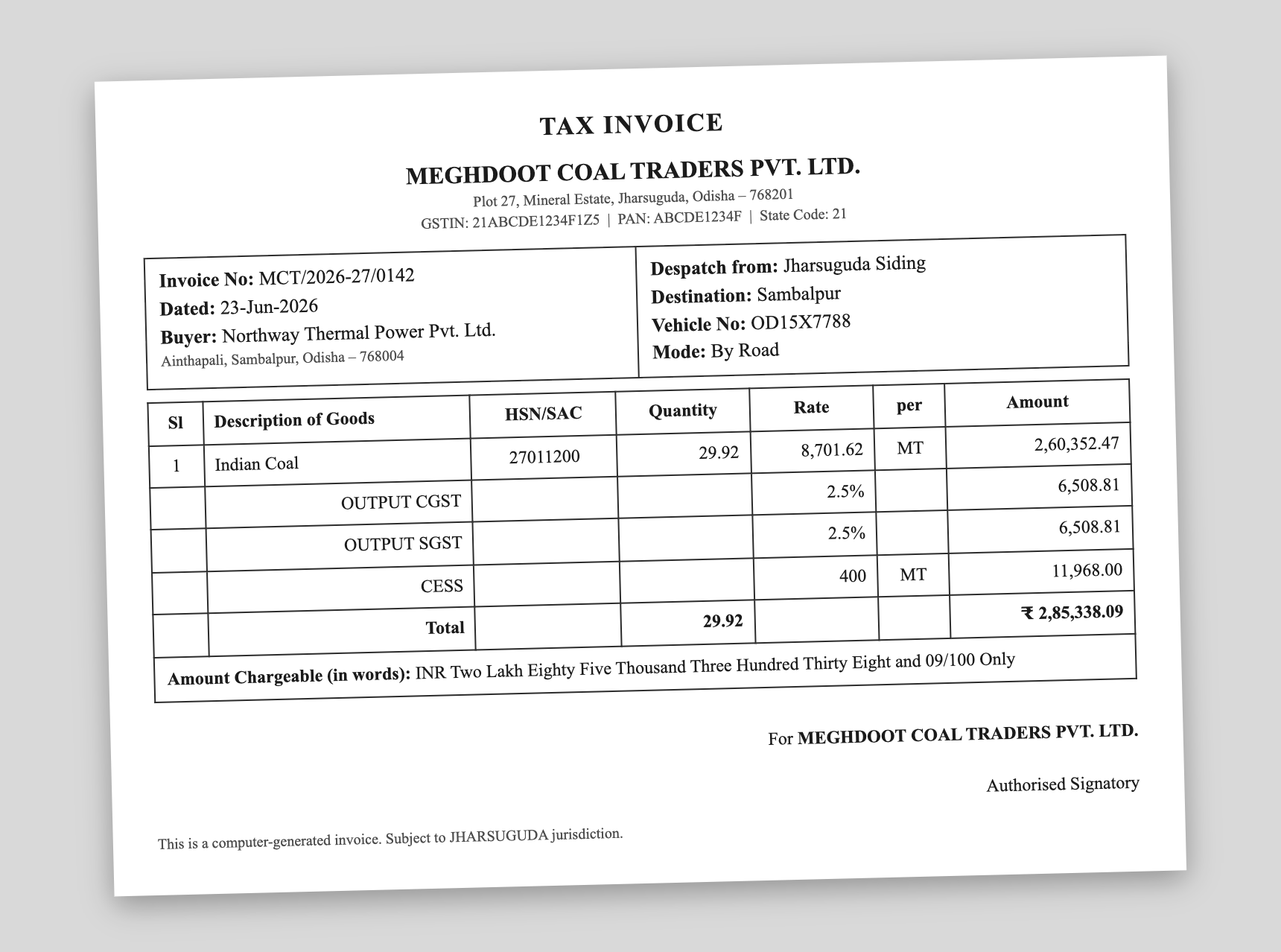
What came back
Run through “Read this scan → Excel” (the AI extraction), it returned a structured spreadsheet — a goods table plus a separate sheet of invoice metadata:
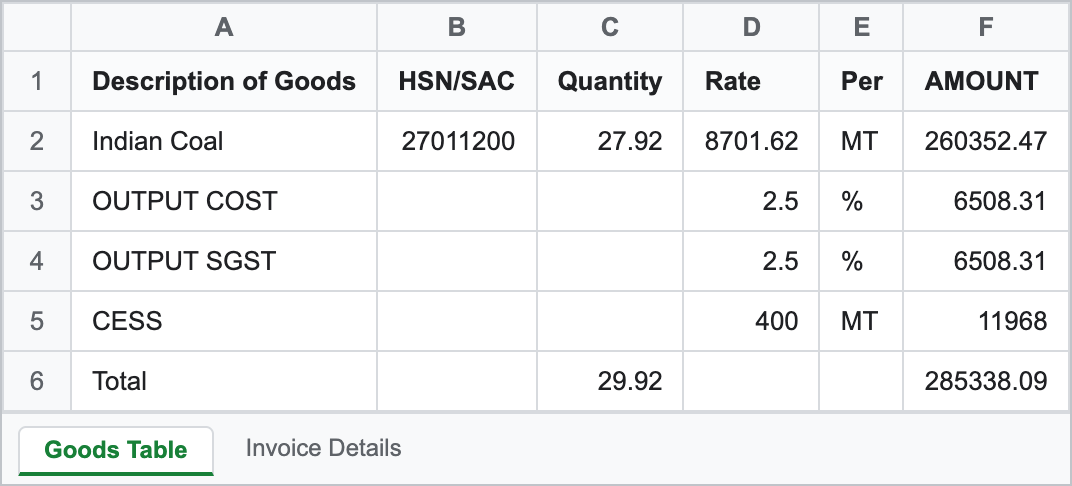
| Description | HSN/SAC | Qty | Rate | Per | Amount |
|---|---|---|---|---|---|
| Indian Coal | 27011200 | 27.92 | 8701.62 | MT | 260352.47 |
| OUTPUT COST | 2.5 | % | 6508.31 | ||
| OUTPUT SGST | 2.5 | % | 6508.31 | ||
| CESS | 400 | MT | 11968 | ||
| Total | 29.92 | 285338.09 |
Where it got it wrong — named
It is not flawless, and anyone who'd use this will catch the slips on tie-out anyway — which is exactly the point. Three to flag honestly:
So it doesn't replace your review — it replaces the typing. You proofread the result against the original; you don't key it in from scratch.
When this actually saves time
On a page with zero selectable text, this is about a minute of reconciling against the original versus ten minutes of manual entry. For a clean, text-based PDF you wouldn't need it at all. For genuine scans and photos, it's the difference between “usable” and “do it by hand.”
Cost and privacy, straight
The scan-reading shown here is a paid tier — $15/month for 300 pages. There's a free tier for ordinary text-based PDFs plus basic OCR, but cleanly reading an ugly scan is the paid AI feature; we're not going to pretend otherwise.
This one is not in-browser: the file uploads over HTTPS, is processed on a server, auto-deletes within 24 hours, and is never used for training. (Our plain editor tools run in your browser; this one doesn't.) If you handle sensitive client documents, factor that in.